What is the easiest and fastest way to contact support in the app?
The easiest and fastest way to reach our support team is directly through the Nevlin app or by emailing us.
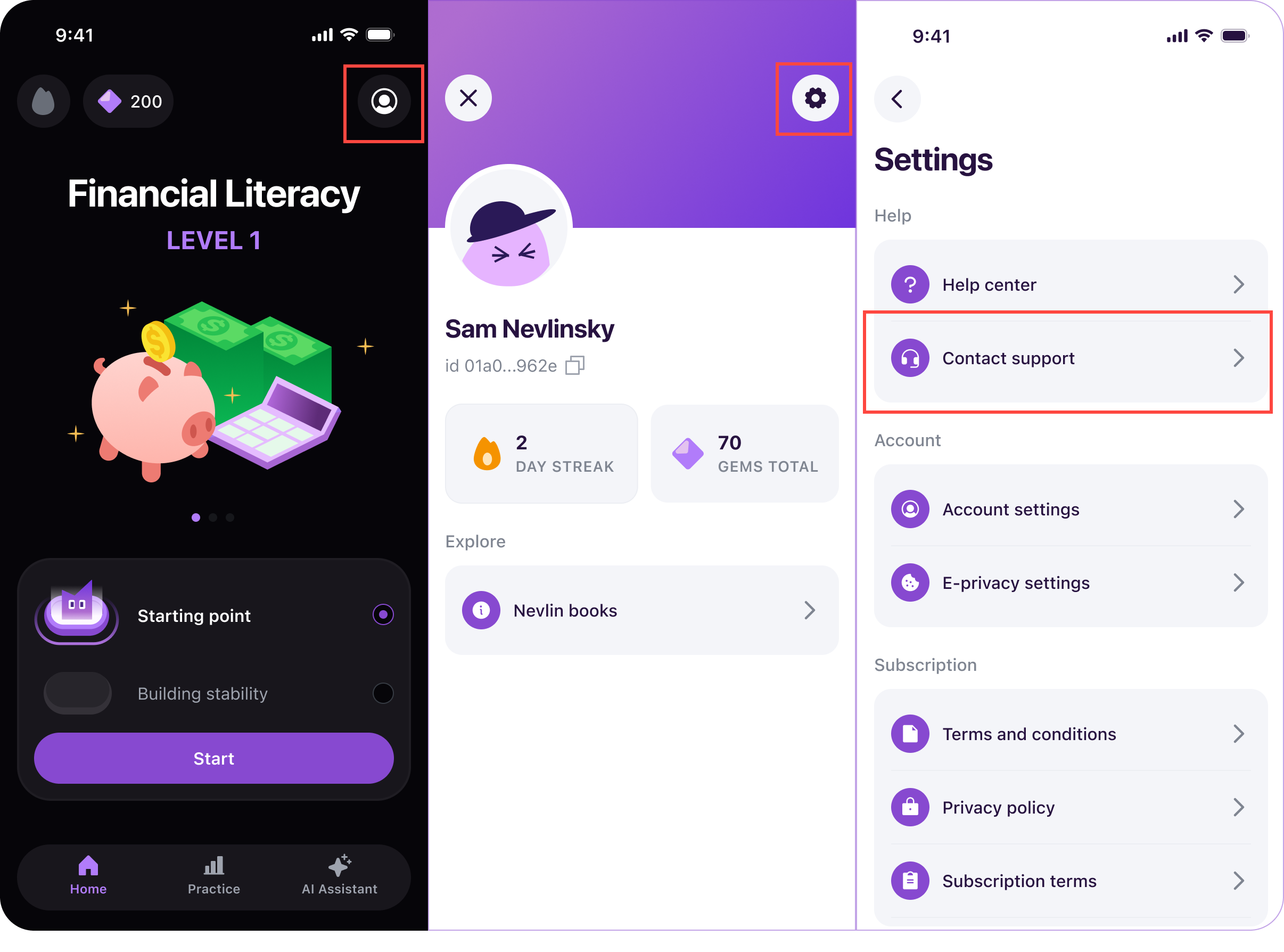
Steps to contact support in the app:
- Open the Nevlin app on your device.
- Go to your Profile by tapping the Profile Icon in the Home Page.
- Tap the gear icon at the top of the page to open Settings.
- Tap Contact Support.
This opens a direct messaging prompt where you can describe your issue or question. Submitting a ticket this way automatically links your account details, helping our team review and resolve your request much faster.
You can also reach our support team at any time by sending an email directly to support@nevlin.com. Be sure to write from the email address linked to your Nevlin account so we can find your details quickly.
Was this article helpful?