How do streaks and streaks freeze work in Nevlin?
Building strong financial habits is all about consistency, and your Nevlin streak helps you stay motivated every single day you learn.
Understanding your learning streak:
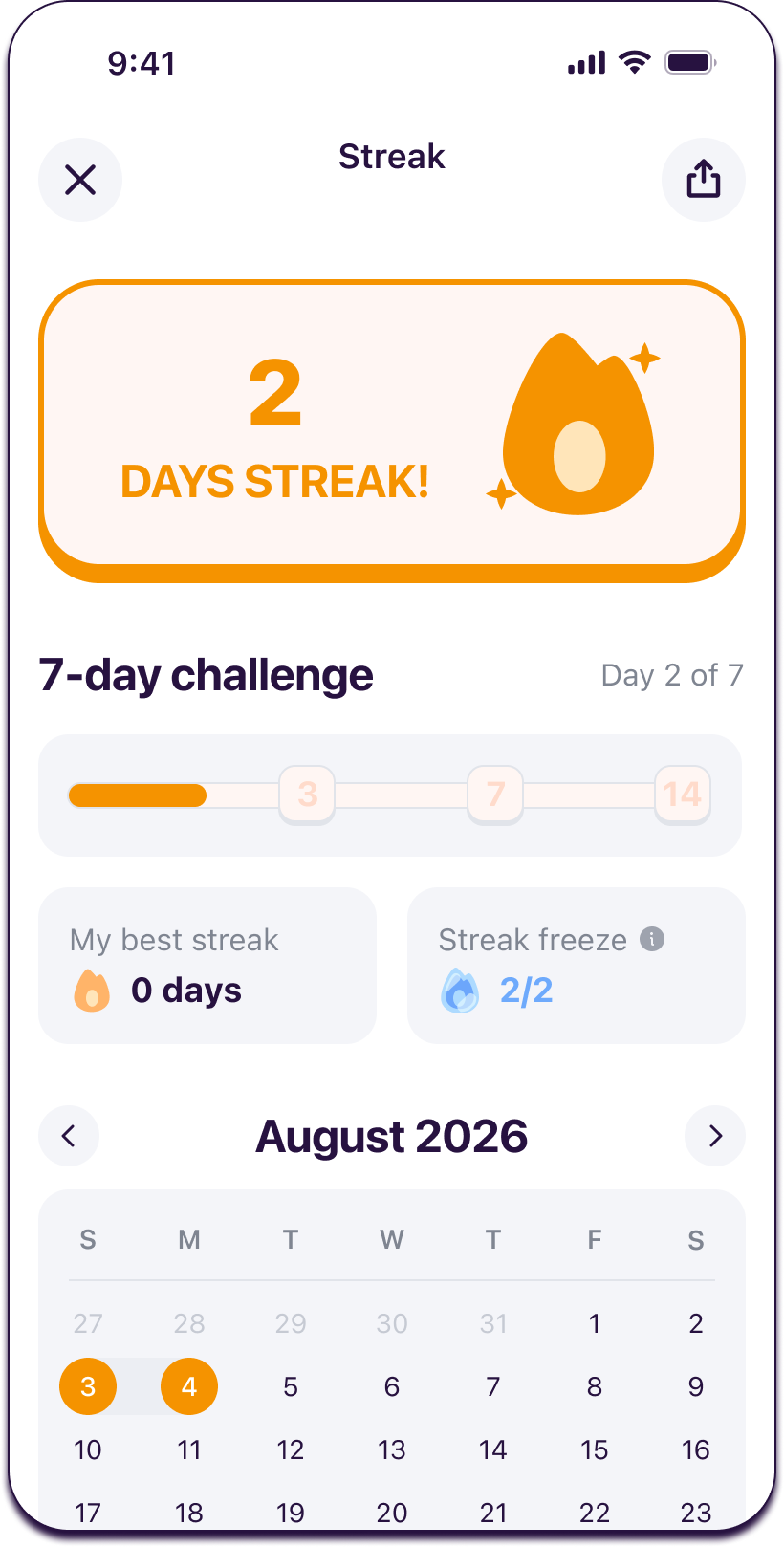
Every daily lesson you complete adds another day to your current streak. You can check your progress anytime from the Homepage or your Profile section.
My best streak:
Your profile keeps track of your all-time highest streak record.
- Whenever your current daily streak beats your previous personal record, your My Best Streak value updates automatically.
- If your streak ever resets, your My Best Streak record never drops and stays at your historical peak.
Note: My Best Streak measures your active learning days and does not count frozen days.
What is streak freeze? streak freeze?
Life gets busy, and Streak Freeze is designed to protect your hard-earned momentum.
- Automatic protection: You can hold up to 2 Streak Freezes at a time. If you miss a day of learning, a Streak Freeze activates automatically, so your streak is saved and you do not lose your progress.
- Visual indicator: Whenever a Streak Freeze activates, a frozen streak icon appears on your main Intro screen and inside your Streak Page calendar.
- Freezing alert: The next time you open the app after an automatic freeze, a helpful pop-up alerts you that your streak was saved and gives you the option to replenish your Streak Freeze inventory.
Sharing your progress and rewards:
You can celebrate your achievements directly from the Streak Page:
- Share button: Tap the Share button anytime to share your active streak with friends or on social media.
- Earn free rewards: When you complete an eligible share milestone and return to the app, your bonus reward is credited to your account automatically.
If you experience any issues with your streaks, contact us at support@nevlin.com or by submitting a ticket to the Support Center.
Was this article helpful?