I did not receive an invoice after payment. What should I do? (Download receipts)
If you need an invoice for your transactions, here is how to get it:
Regular invoices:
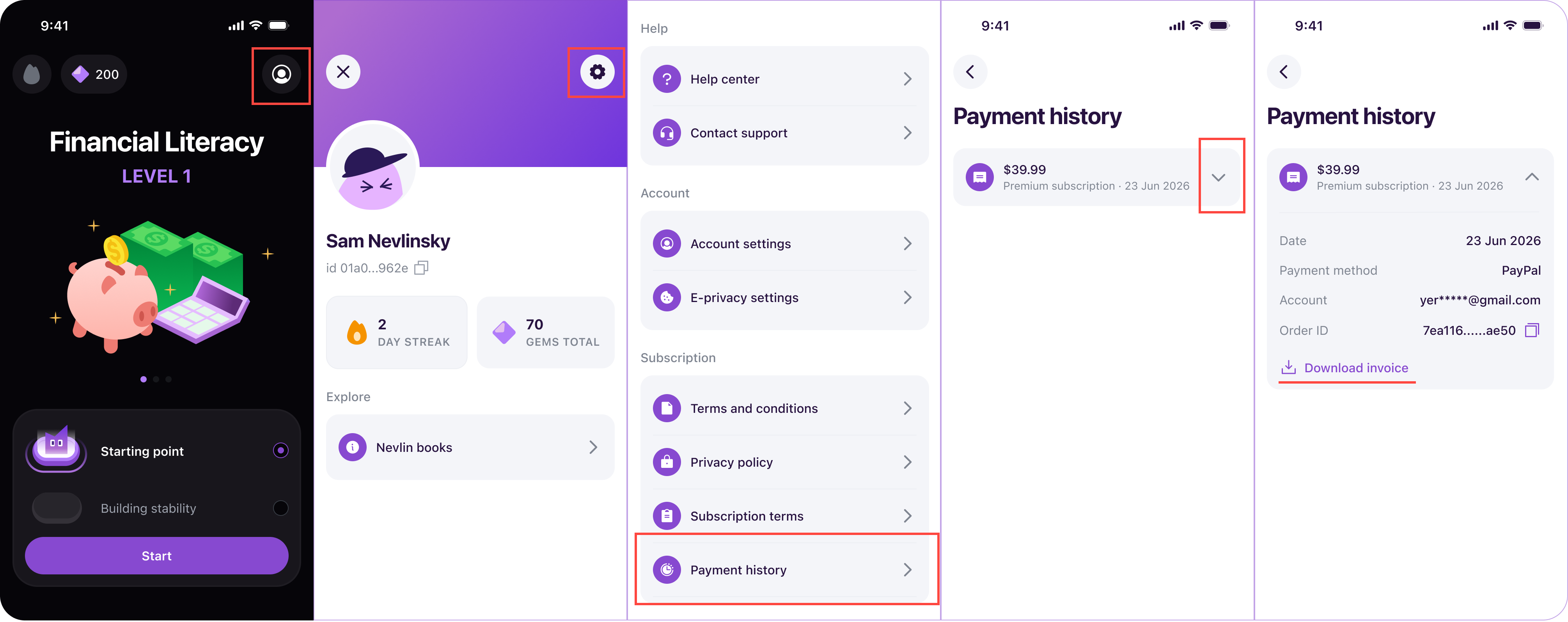
If you subscribed through the web version, you could easily access your invoices at any time:
- Log in to your account at https://nevlin.com/
- Go to Profile -> Settings -> Payment History.
- Click or tap to view and download your transaction receipt.
Detailed invoices:
If you need a detailed invoice with company information, tax details, or specific business addresses, please submit a ticket via our Support Center or email support@nevlin.com. Include all necessary company information with your request. Processing detailed invoice requests may take 2 to 5 business days.
If you experience any issues downloading your receipts, contact us at support@nevlin.com or by submitting a ticket to the Support Center.
Was this article helpful?