How to change to dark mode or light theme in Nevlin?
You can easily switch to dark mode in the Nevlin app. Here is how:
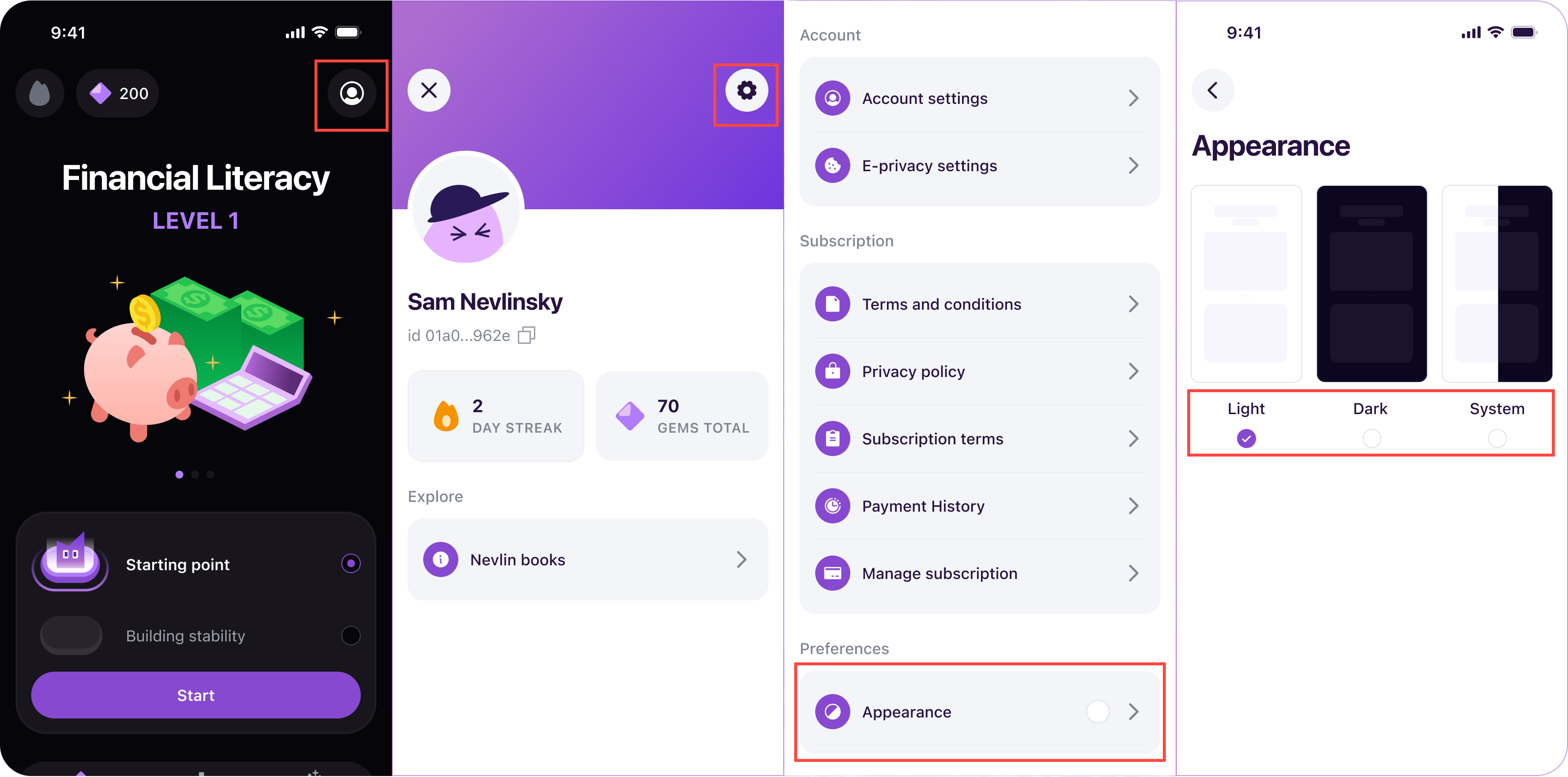
- Go to the Profile Icon in the app.
- Tap the gear icon at the top of the page.
- Look for the Appearance option and tap on it.
- Select Dark Theme to switch to dark mode.
You can return to this menu at any time to switch back to Light Theme.
If you experience any issues changing display modes, contact us at support@nevlin.com or by submitting a ticket at the Support Center.
Was this article helpful?