How to change your registered email address/username?
You can update your registered email address and username directly inside the Nevlin app or by reaching out to our support team.
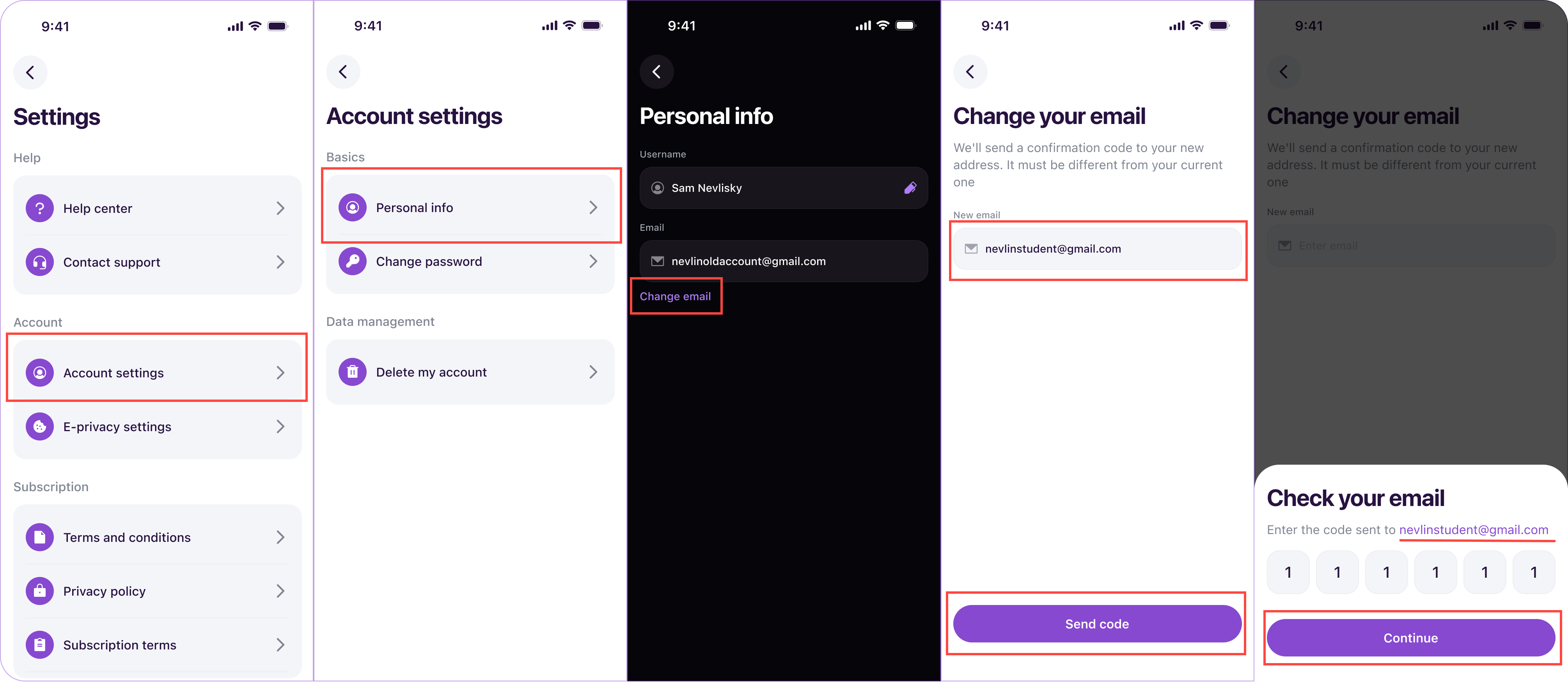
Steps to change your email address in the app:
- Open the Nevlin app.
- Go to the Profile Icon.
- Tap the gear icon at the top of the page to open Settings.
- Select Account Settings.
- Tap Personal Info.
- Tap Change Email Address.
- Enter your new email address (it must be different from your current one) and tap Send code.
- Enter the confirmation code sent to your new email address to save your changes.
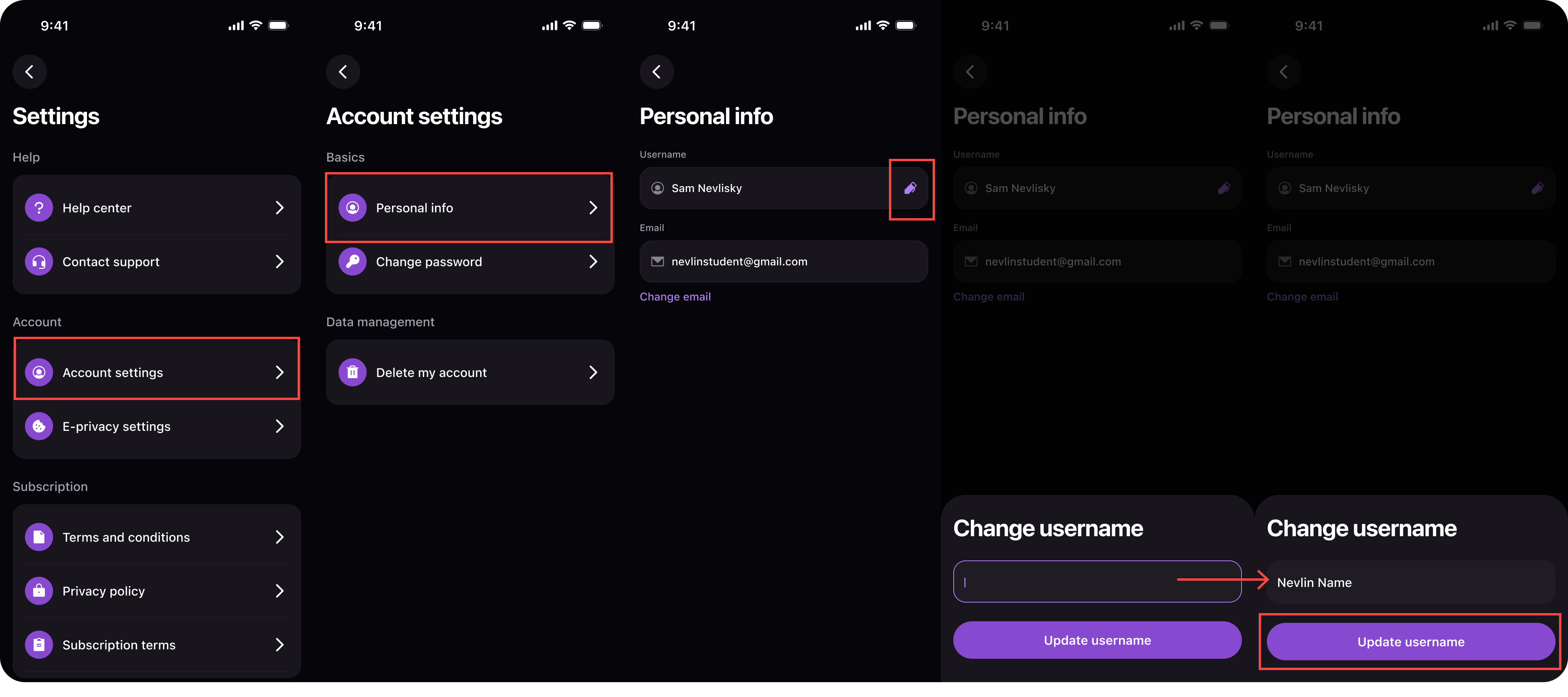
Steps to change your username in the app:
- Open the Nevlin app.
- Go to the Profile section by tapping the Profile Icon in Home Page.
- Tap the gear icon at the top of the page to open Settings.
- Select Account Settings.
- Tap Personal Info.
- Tap the pencil icon next to your username.
- Enter your updated username and save your changes.
If you experience any issues while updating your email address or username, contact us at support@nevlin.com or by submitting a ticket at the Support Center.
Was this article helpful?